
Plan College Together With Your Student While Keeping the Family’s Finances Private
Most parents want their teenager to be active in the college search: comparing schools, watching deadlines, owning a little more of the process each month. What a lot of parents don’t want is for their 16- or 17-year-old to see the financial side ie. exactly what the household earns, what’s in the retirement accounts, and how much home equity is on the table.
Until now, those two wishes were in tension. To give your student real access to a planning tool, you usually had to hand over access to everything including the family’s most sensitive financial details.
Today we’re closing that gap. MyCAP now lets you and your student plan together while your financial information stays private. Your student participates fully in the parts that are theirs to own ie. the school list, the deadlines, the budget you’re planning around and your income and assets stay yours.
Why parents want to keep finances private
This isn’t about secrecy. For most families it comes down to a few very normal reasons.
Income and savings are simply private adult information. Plenty of parents are comfortable telling their kid “here’s the budget we can work with” but not “here’s our exact salary, our investment balances, and our home equity.” Those are different conversations, and a planning tool shouldn’t force the second one to enable the first.
There’s also the anchoring problem. When a 17-year-old sees the full household balance sheet, it can quietly distort how they choose. Some students start ruling out schools they should at least explore; others assume more is available than really is. Keeping the raw numbers private — while still sharing the budget — lets the student make decisions based on the plan, not on a figure they may misread.
The catch: the plan only works if the numbers are real
Here’s the part that makes this more than a nice-to-have. MyCAP’s whole job is to show the true net price of each school, not the sticker price and to estimate how much need-based aid your student will actually qualify for. That math doesn’t run on guesswork or inaccurate numbers. It runs on your real financial picture: income, assets, and home equity are exactly what drive the Federal SAI and the Institutional SAI, which in turn determine each school’s real cost to your family.
So the financial details can’t simply be skipped. They have to go into the plan for any of the numbers to mean anything. That used to leave families with an uncomfortable choice: hand the teenager the full balance sheet to get an accurate plan, or let them plan on rough sticker prices and hope for the best. Neither is good as the first sacrifices privacy, the second sacrifices accuracy.
Student financial privacy removes the trade-off entirely. You enter the real numbers so the SAIs, net prices, and aid estimates are accurate and your student sees those results without ever seeing the raw inputs behind them. Everyone plans from the real picture. No one has to give anything up.
How it works
When your student is a collaborator, they get real access to MyCAP — the school list, the journey, the deadlines, the affordability picture, the budget, and even the SAI Scores. The only thing they don’t see is the underlying parental financials: those field values display as “N/A” for the student, and they can’t edit them.
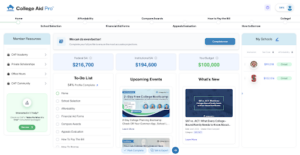
The plan can start from either side, which matters because in some cases it’s the student who gets going first.
Path A: Student starts, then invites a parent
High schoolers often find MyCAP on their own and start building before a parent is involved. That works.
- The student signs up and tells MyCAP they’re the student.
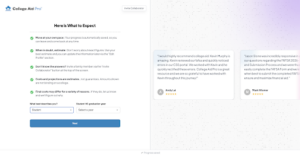
A student starting out tells MyCAP who they are, so the experience is built around them from the first screen. - They go through onboarding — adding a first school, their academics, the basics, family’s basic financial information and start building their plan.
- From the Invite Collaborator screen, they invite a parent by email and set the relationship to Parent.
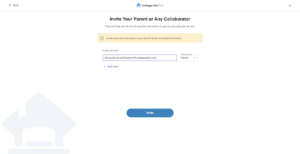

4. The parent accepts, creates their own login, goes through onboarding wherein all the questions are pre-populated, and updates the household financial details if needed.

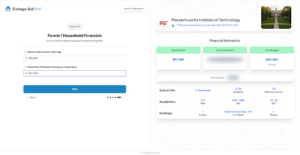
- From that point on, those financial values are masked on the student’s side as “N/A,” while everything else stays shared.
Path B(Recommended): Parent starts, then invites the student
When the parent sets things up first, the student’s onboarding is shortened.
- The parent signs up, completes onboarding, and enters the household financials.
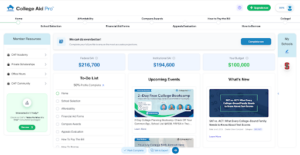
- From the Account Info tab in their Profile, the parent invites the student as a collaborator.

- The student gets an email invitation and clicks through to create their own login.


- The student goes through a shortened onboarding — three steps instead of six. They’re never asked for the family’s income or assets, because that’s the parent’s section; the budget is even pre-set from the parent’s plan. They land in the plan in minutes.


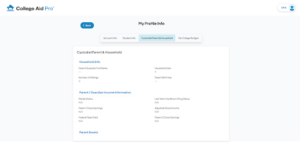
- On the student’s side, the parental financial values show as “N/A” and are locked from editing.
What stays open to the student
This is the part that makes it more than a lockdown. Everything that isn’t sensitive household financial data stays fully available to the student:
- The school list and affordability view — adding, comparing, and grading schools on cost.
- The financial aid form deadlines — FAFSA, CSS, and the rest of the calendar.
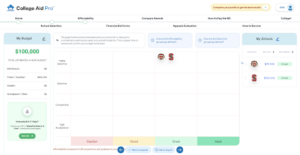
- The budget — the total college budget is visible to both the parents and the student, so everyone is planning around the same number.
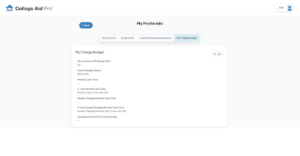
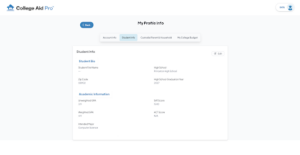
The budget is shared. The student sees what the family is planning around; only the raw income and asset inputs stay private. - The student’s own academic profile — GPA, test scores, intended major — fully theirs to edit.
The proof: same fields, two views
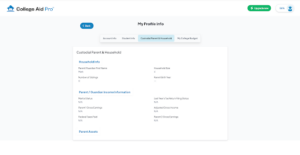
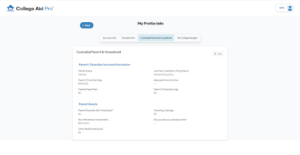
The clearest way to see what this does is to put the two views side by side. On the parent’s side, the Custodial Parent & Household section shows the real numbers — gross earnings, taxes, assets. On the student’s side, those exact same financial fields read “N/A.”

The part that makes it predictable
Masking isn’t a vague toggle buried in a menu. For the student, parental financial values are hidden only when the plan is actually set up that way — the student has been invited as a collaborator, has accepted, and the parental financial data exists in the account. Until those are true, there’s no confusing in-between state. Before you invite, nothing changes; after the student accepts, the sensitive numbers are masked on their side automatically, while the budget and everything else stays shared.
That predictability is the point. You always know whether your student can see financial values, based on whether you’ve actually brought them in and entered your data.
Two quick scenarios
Student-first — Daniel, junior year. Daniel is an organized and ambitious student. He finds MyCAP, signs up himself, and starts a school list before his parents are even involved. A week in, he invites his dad as a collaborator. He accepts, creates his own login, and enters the household income and assets in his section — which is what lets MyCAP compute the family’s real SAIs and the true net price of each school on his list. Daniel keeps building the list, tracking FAFSA and CSS deadlines, and planning against the shared budget — but where his dad’s income and assets would show, he sees “N/A.” He owns the search; he keeps the numbers private. They’re planning from the real picture within days.
Parent-first — the Smiths. The Smiths start the other way. One parent sets up MyCAP, completes the full onboarding with the family’s financials, and then invites their son from the Account Info tab. He gets his own invitation, clicks through, and runs a shortened three-step onboarding — no financial questions, budget already set. He lands in the plan, sees the full school list, the deadlines, the affordability grid, and the accurate net costs his parents’ data made possible. The household income and savings read “N/A” on his side. He’s a real participant from day one, and the sensitive numbers never leave his parents’ hands.
Why this matters
The best college plans are the ones the student is genuinely part of — but getting there shouldn’t cost a parent their financial privacy, and it shouldn’t cost the family an accurate plan either. With student financial privacy in MyCAP, you don’t have to choose. You enter the real numbers so the SAIs, net prices, and aid estimates are right; your student sees everything they need to be a real participant — the schools, the deadlines, the budget, the results — and nothing they don’t.
Try it
If you’ve been planning college alone because you weren’t ready to share the numbers, you don’t have to anymore. Start your free plan in MyCAP, invite your student — or have them invite you — and let them own the search while your finances stay private.
To start your free plan on MyCAP click here.